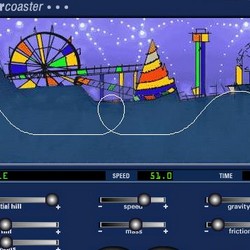
Coaster Crafter
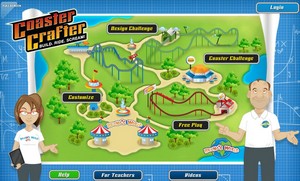
Introduction: Coaster Crafter: Build. Ride. Scream! is divided into three sections: Design Challenges, Coaster Challenges and a Free Play area. Design Challenges introduce you to key concepts such as inertia, velocity, gravity, functioning like a tutorial on each subject. The Coaster Challenges are where you design and build structured roller coasters. In the Free Play area, you can create and share your own personal coasters. Each challenge unlocks tracks and pieces for building your coaster.
First go to the "LOGIN" button in the top right corner. In the "Create Account" area, enter a username and a password of your choice. You will be sharing your designs with your instructor and other students, so keep your username school appropriate.
Part 1 - Complete Design Challenge Level 1
In each section you are presented with a problem. After listening to (or reading) the problem, you are asked to choose a solution. Summarize your solutions in the chart below.
| What did you do to overcome the problem? | |
| Inertia | |
| Velocity | |
| Acceleration | |
| Gravity | |
| Mass | |
| Friction | |
| PE and KE | |
| Momentum |
Complete the Coaster Challenge Level 1
In this section, you will make a coaster using the principles you learned in Design Challenge Level 1. Sketch your final roller coaster design below.

Part 2 - Complete Design Challenge Level 2
After completing the first coaster challenge, you have access to Design Challenge Level 2. Completing this will gain you more coaster parts and access to the next level.
| What did you do to overcome the problem? | |
| Gravity | |
| Mass | |
| Acceleration | |
| Velocity | |
| Inertia | |
| Momentum | |
| Friction | |
| PE and KE |
Complete the Coaster Challenge Level 2 and sketch your final design.
Part 3 - Complete Design Challenge Level 3
| What did you do to overcome the problem? | |
| Gravity | |
| Velocity | |
| Friction | |
| Inertia | |
| Acceleration | |
| Mass | |
| Momentum | |
| PE and KE |
Complete the Coaster Challenge Level 2 and sketch your final design.
Free Play
Time to customize your cars and build your own roller coaster. After you are finished with your coaster, click "RUN" to see it in action and then share your design according to your teacher's instructions. Sharing options include facebook, email and other networks.
Other Roller Coaster Building Sites
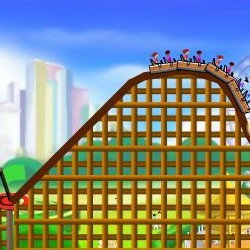
Roller-Coaster Designer - uses a set track that you can slide the hills to different heights, measures G forces
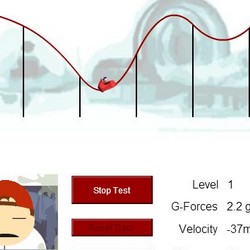
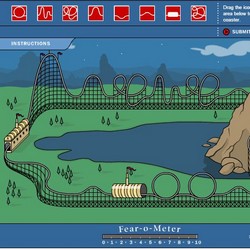
Discovery Kids Build a Coaster - this one asks you to design a coaster that fills the "Fear-o-Meter"
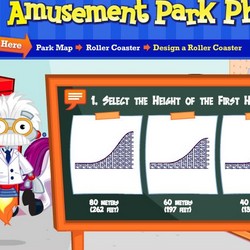
Amusement Park Physics - using set pieces design coasters, gives you a safety and a fun rating for your designs
Funderstanding Coaster - java simulator, use a slider to adjust speed, mass, hill heights, loops, friction, and gravity. This is one of the few simulators that allows you to adjust gravity, for some interesting outcomes.